
Receive
Scan the VIN sticker or number plate — on-device OCR, no typing. Receive one or many parts against the vehicle or its open job card and photograph each one as proof of receipt.
 HUND TEC Product · Mobile App
Workshop parts, stored & found.
Every spare part that arrives at a vehicle workshop is received against a car or job card, photographed, and stored in a coded rack cell or a photo-anchored spot on the floor or in the yard. When the technician needs it, they scan the vehicle's VIN sticker or number plate and PartYard shows exactly where each part is.

 Scan to install
 Coming soon

Three steps that replace the whiteboard, the sticky notes and the twenty-minute search.
Scan the VIN sticker or number plate — on-device OCR, no typing. Receive one or many parts against the vehicle or its open job card and photograph each one as proof of receipt.
Coded racks with zones, rows and cells, drawn once by the workshop. Floor and yard areas with landmarks for bulky parts. Or just say it: "store the bumper on rack 3, second shelf".
Scan the car again — every part stored for it, where it is and who put it there. The rack view highlights the exact cell; the yard view walks you to the spot with a compass.
Phone layout shown — the same app adapts to tablets with side-by-side panels.
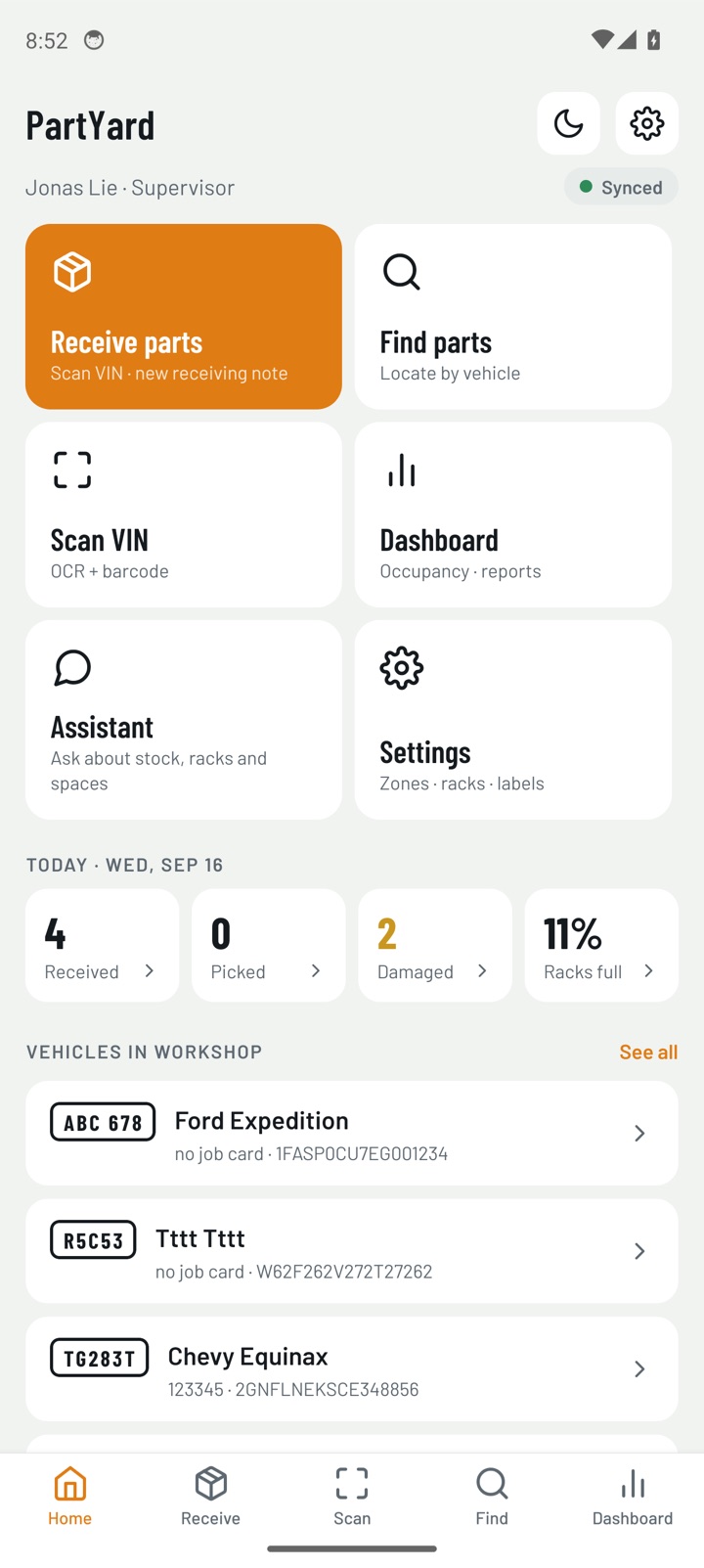
Scan, receive, find and the day's activity in one place.
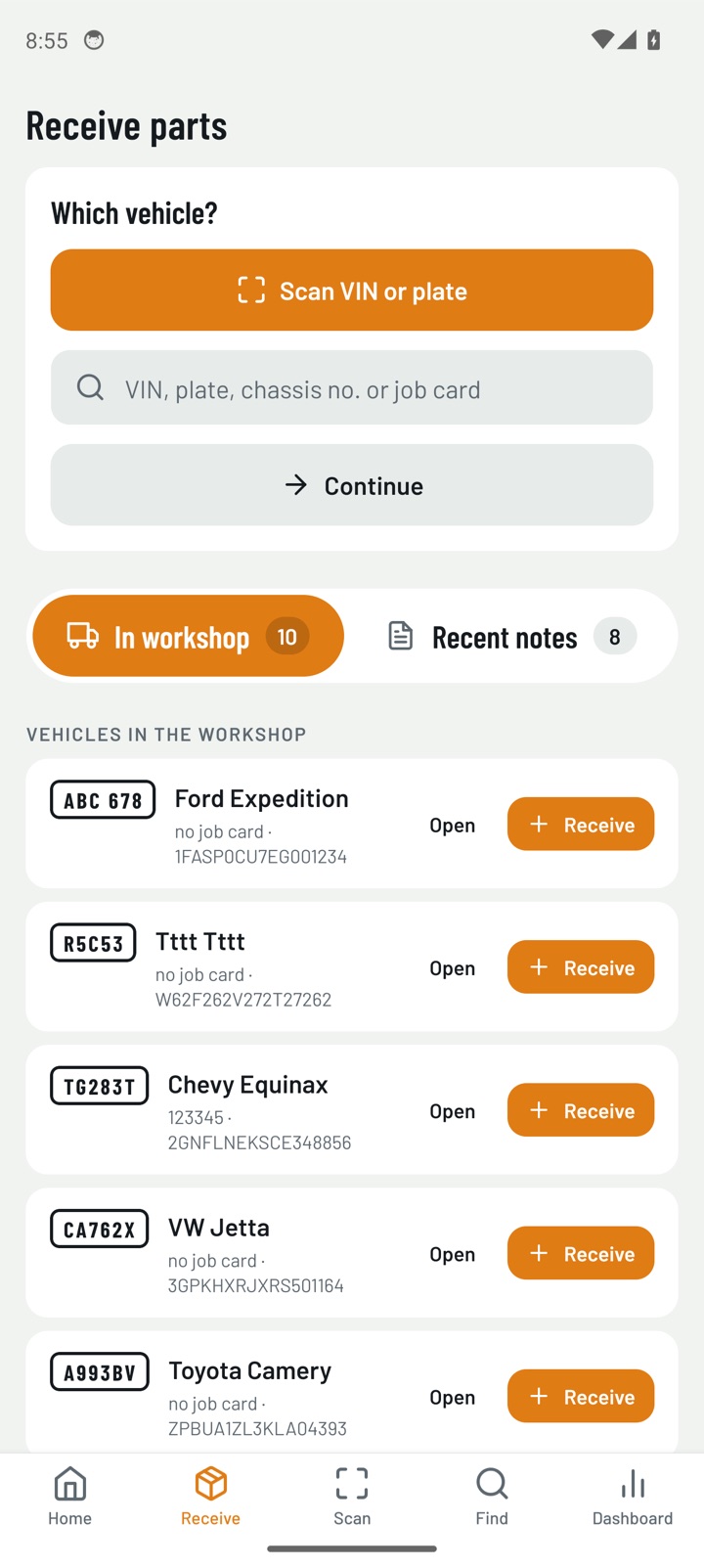
Part lines with photos, quantities and a damage flag, tied to the job card.
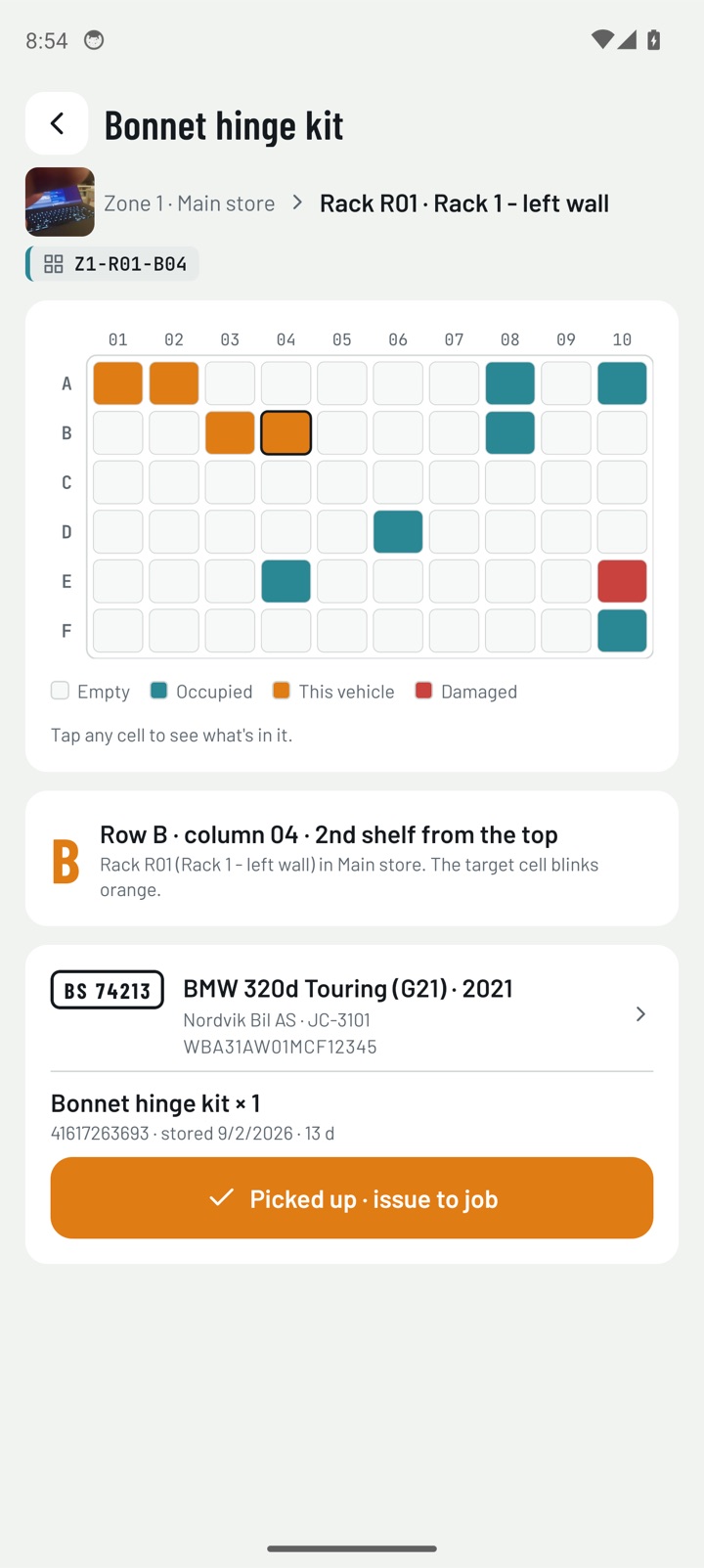
Zone → rack → cell schematic; the target cell blinks, tap any cell to see what's in it.
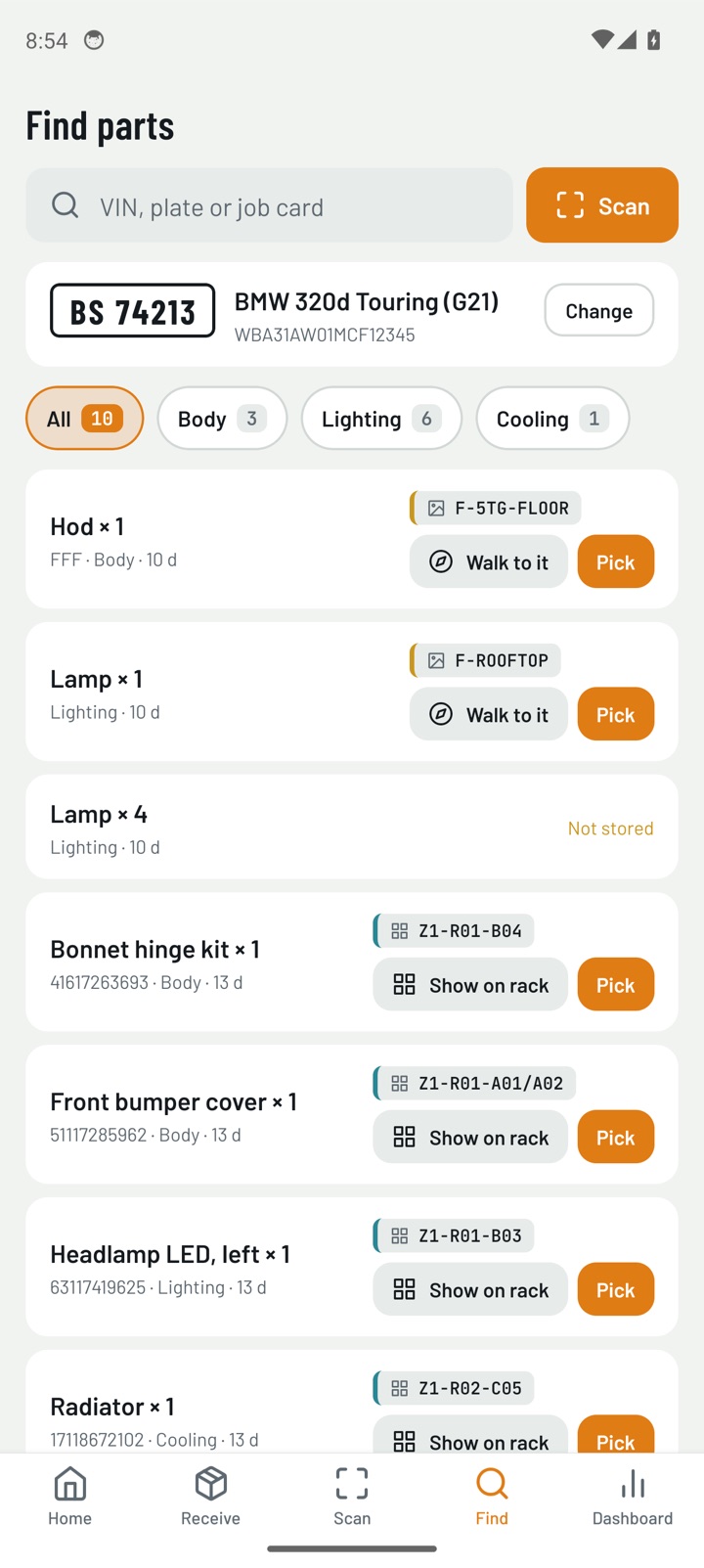
Category chips with counts, then a button to get to each part.
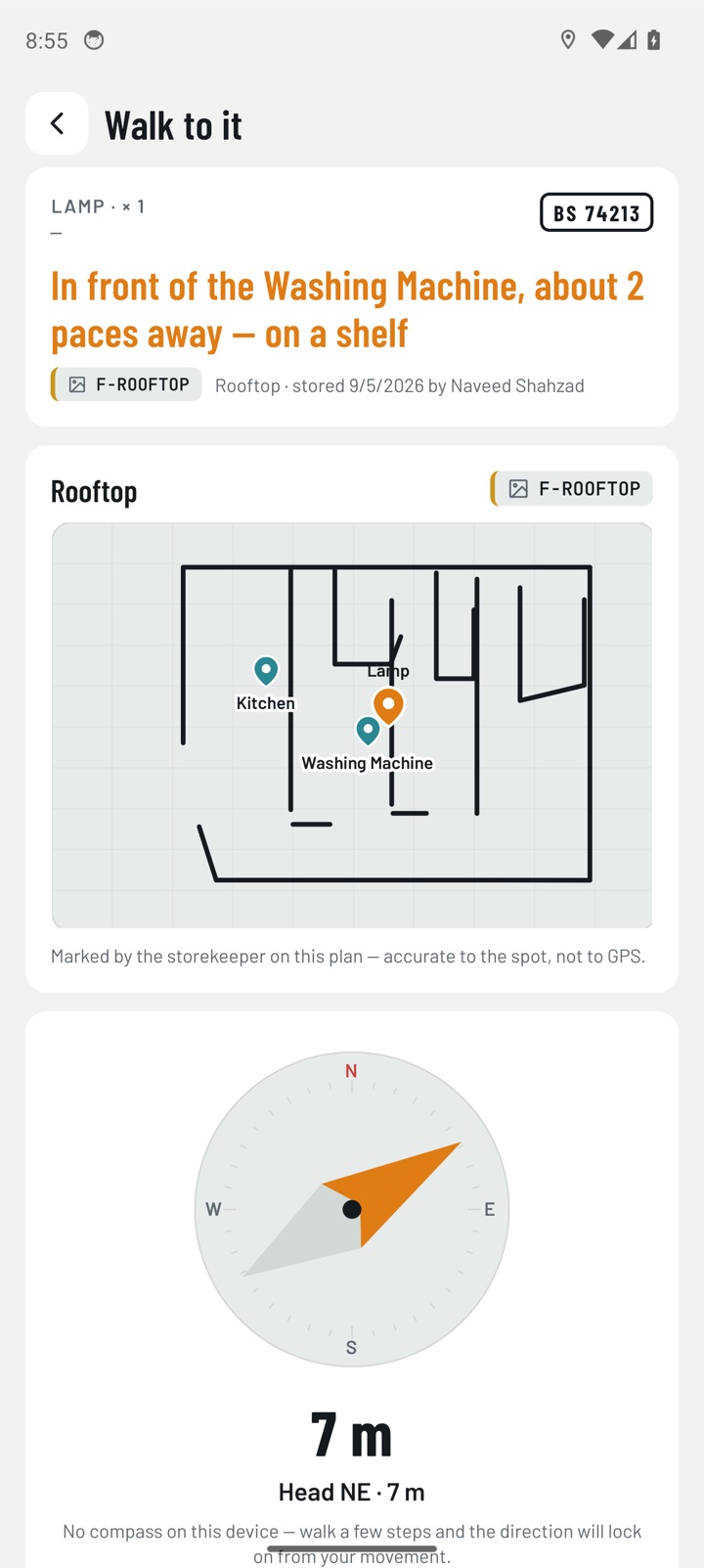
Landmark sentence, hand-drawn floor plan pin and a compass with distance.
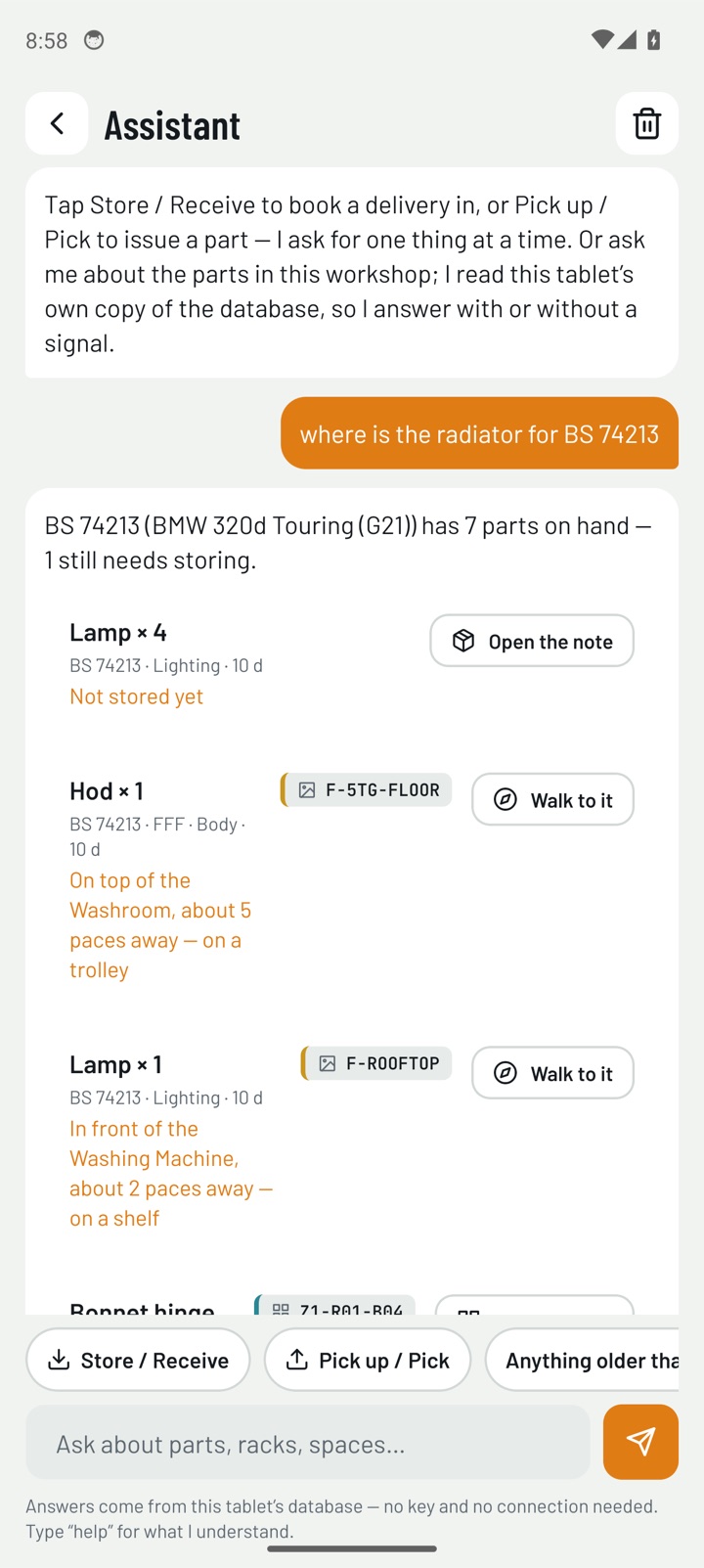
Store, receive or pick by conversation — nothing is written until you tap Save.
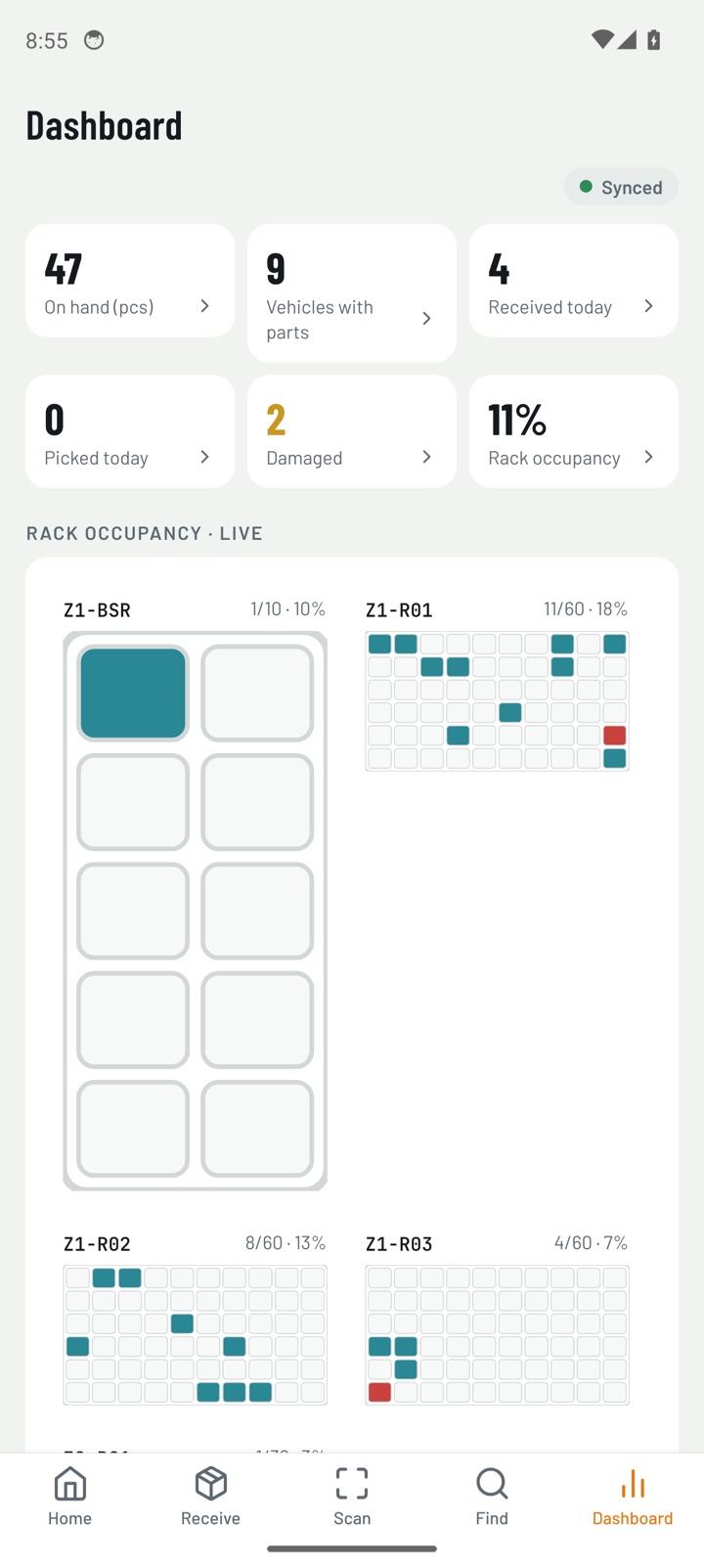
On-hand, vehicles, today's receipts and picks, rack occupancy, aging reports.
Accounts are created by your workshop administrator — there is no public sign-up. Talk to us and we'll have your racks and floor plans ready in a day.
Scan to install
Coming soon