


Audited 24/7, not once a year
Scheduled runs go through every document in the period. No sampling, no waiting for the year-end file, no "we will look at it next quarter".
Your ERP is tested every night against rules written for your business, and you are woken wisely, only when it matters. No sampling, no waiting for the year-end file.
iPhone and iPad: the App Store release is in review. Ask us for a TestFlight invitation in the meantime.
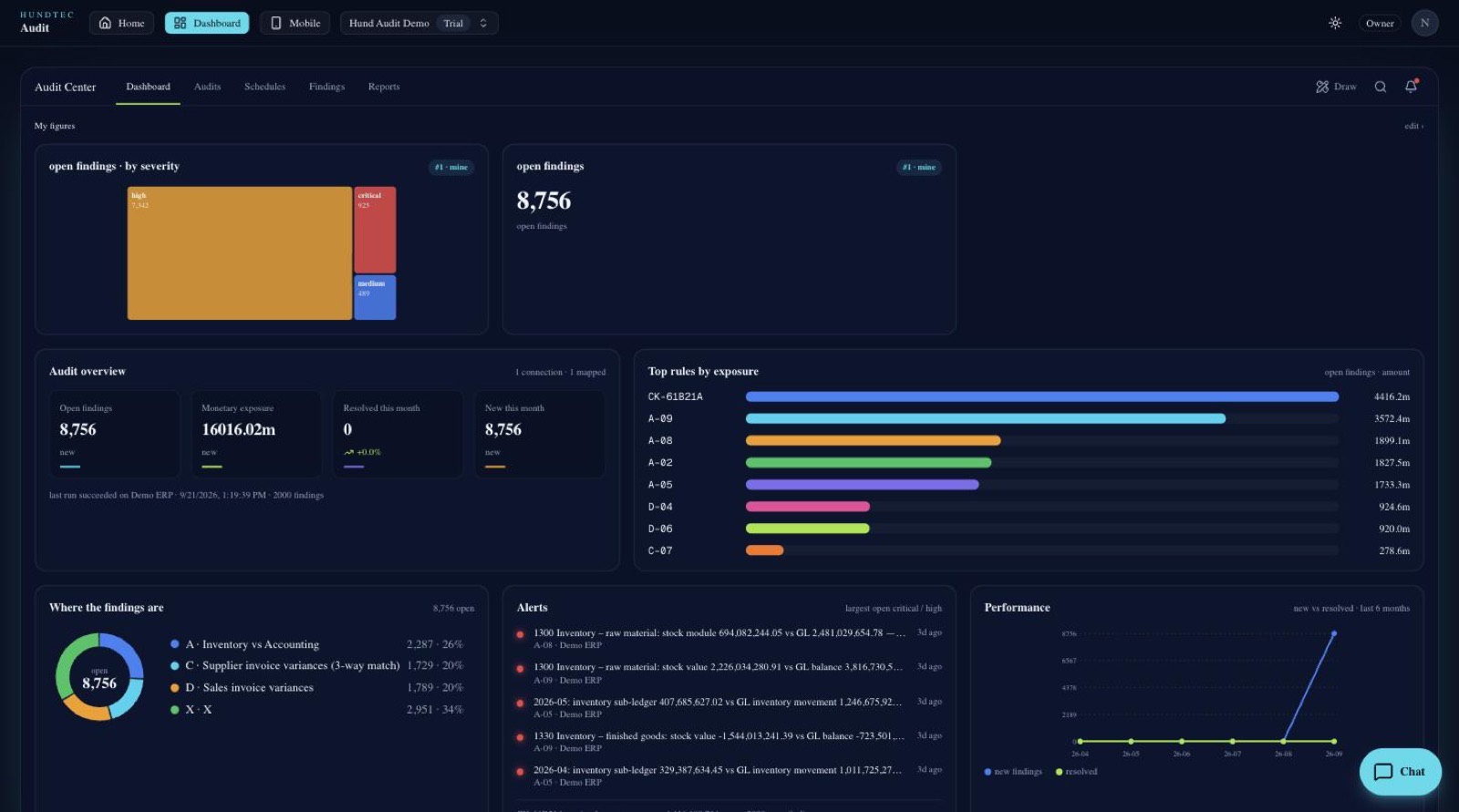

Internal and external auditors arrive once a year and test a sample. Vigilon Audit tests everything, every night, against rules written for your business (inventory against the ledger, supplier invoices against orders and receipts, sales tax, journals, stock positions, jobs in progress) and tells you the morning something breaks, while the documents are still fresh and the money is still recoverable.
Scheduled runs go through every document in the period. No sampling, no waiting for the year-end file, no "we will look at it next quarter".
Severity, amount and age decide what reaches you. Critical exposure wakes you on your phone; the rest waits quietly in the dashboard until you open it.
Start with the built-in engines, then add the checks your business actually cares about: tolerances, approval limits, weekend postings, backdated entries, the habits you want stopped.
The same rules show which branch, store or team repeats the same mistake, so you know where to train, not only what to fix.
Every finding carries its documents and amounts (purchase order, receipt, invoice, journal), so you can take it straight to the branch.
Dashboards, findings, runs and the PDF / XLSX reports travel with you. Sign in with your work e-mail and a one-time PIN. No password on the phone.
Legacy system? On-premise database? No public API? API Connector sits next to your ERP and turns the tables you choose into a safe, read-only API. You decide what leaves the building, table by table, column by column, and nothing else is ever visible to the portal.
Windows, Linux (deb, rpm incl. Oracle Linux 7), Docker and macOS in one package, with the Installation Guide. No source code. Download the package · Installation guide · more in API Builder.
Each company is isolated in its own workspace. Rows are filtered by the connector, protected again in the database, and every download is logged.
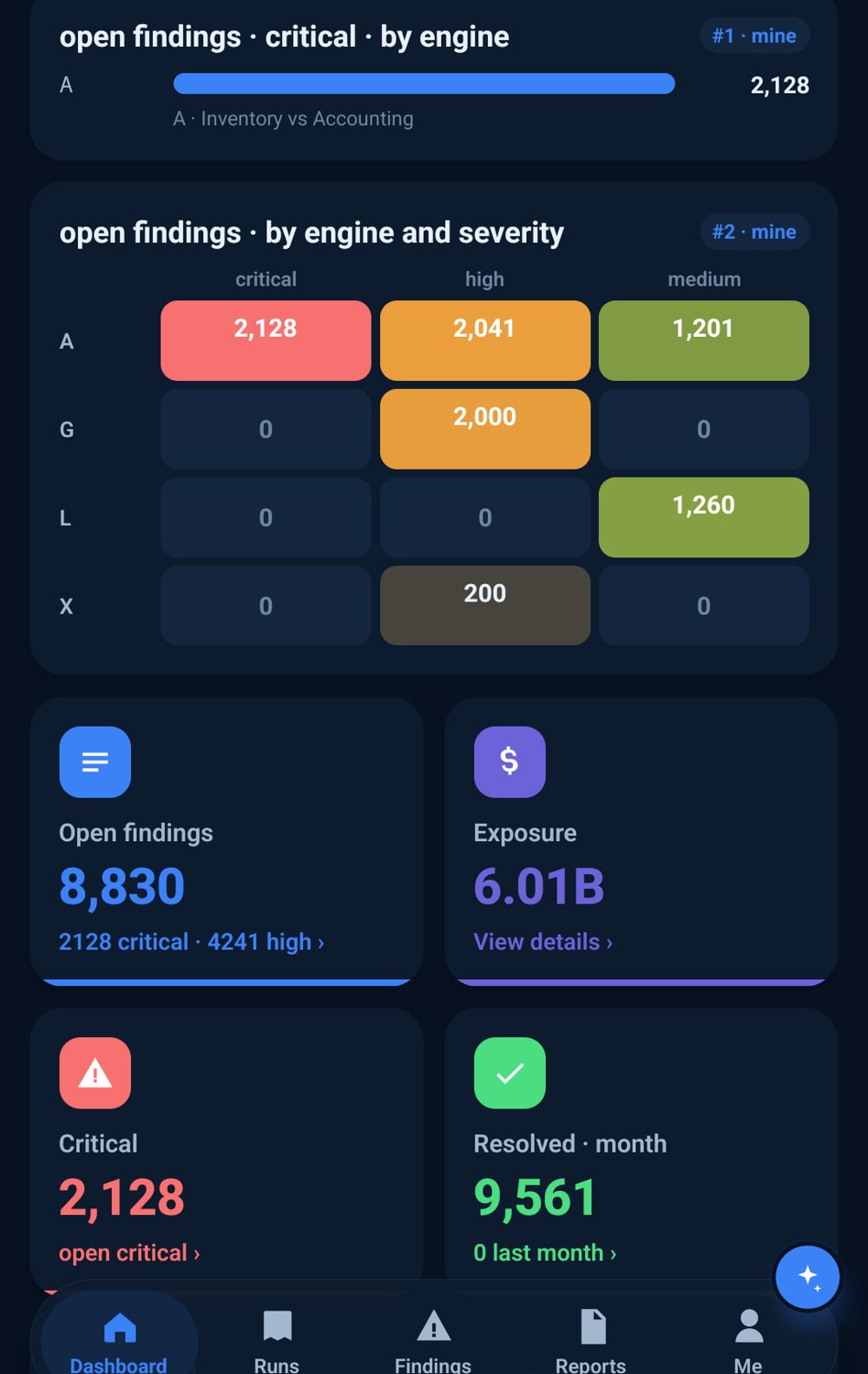
Not the dashboard we decided, but the one you want. Pick a chart, say what to show in plain English, give it a position, and it is there every time you sign in, on the web and on the phone.
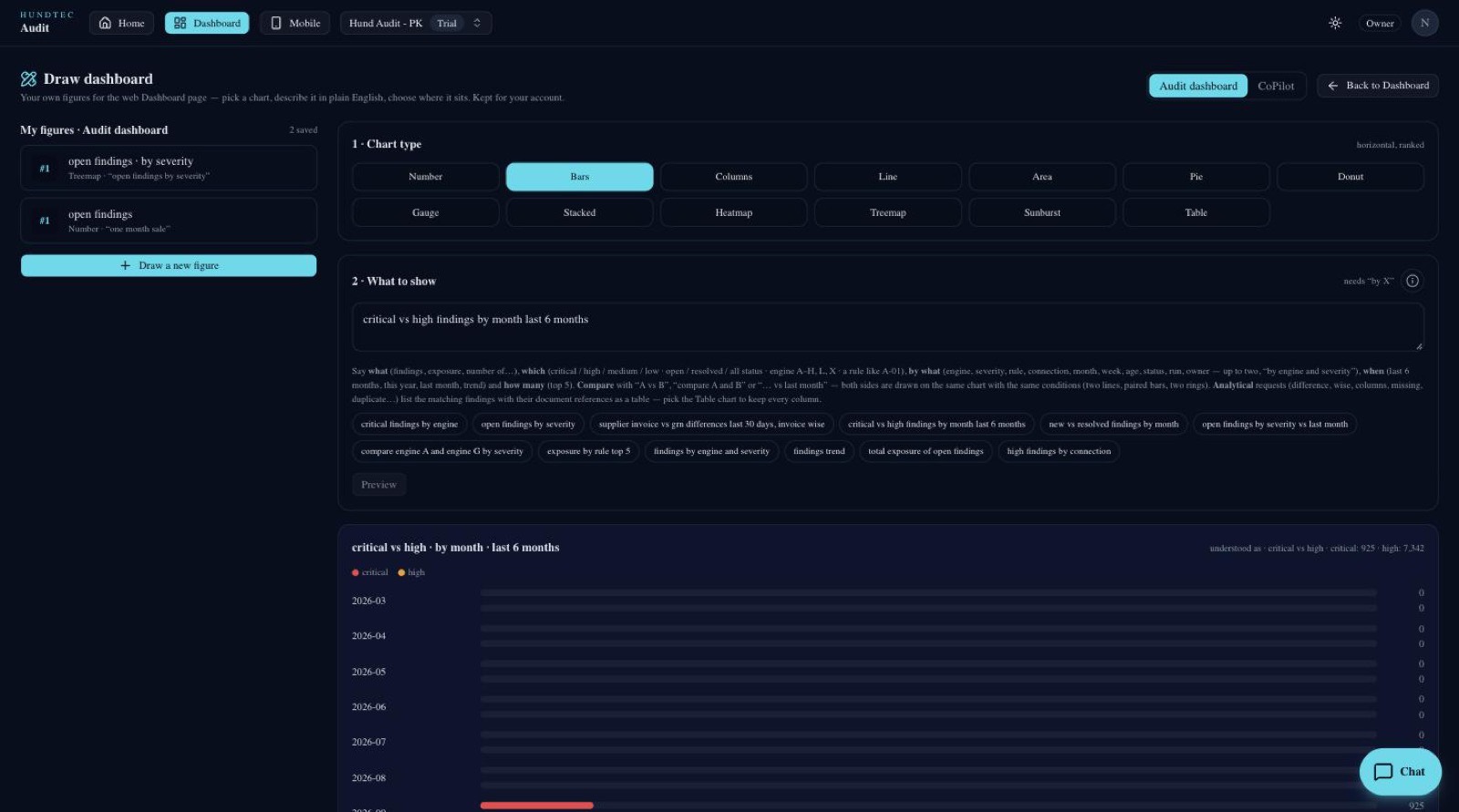
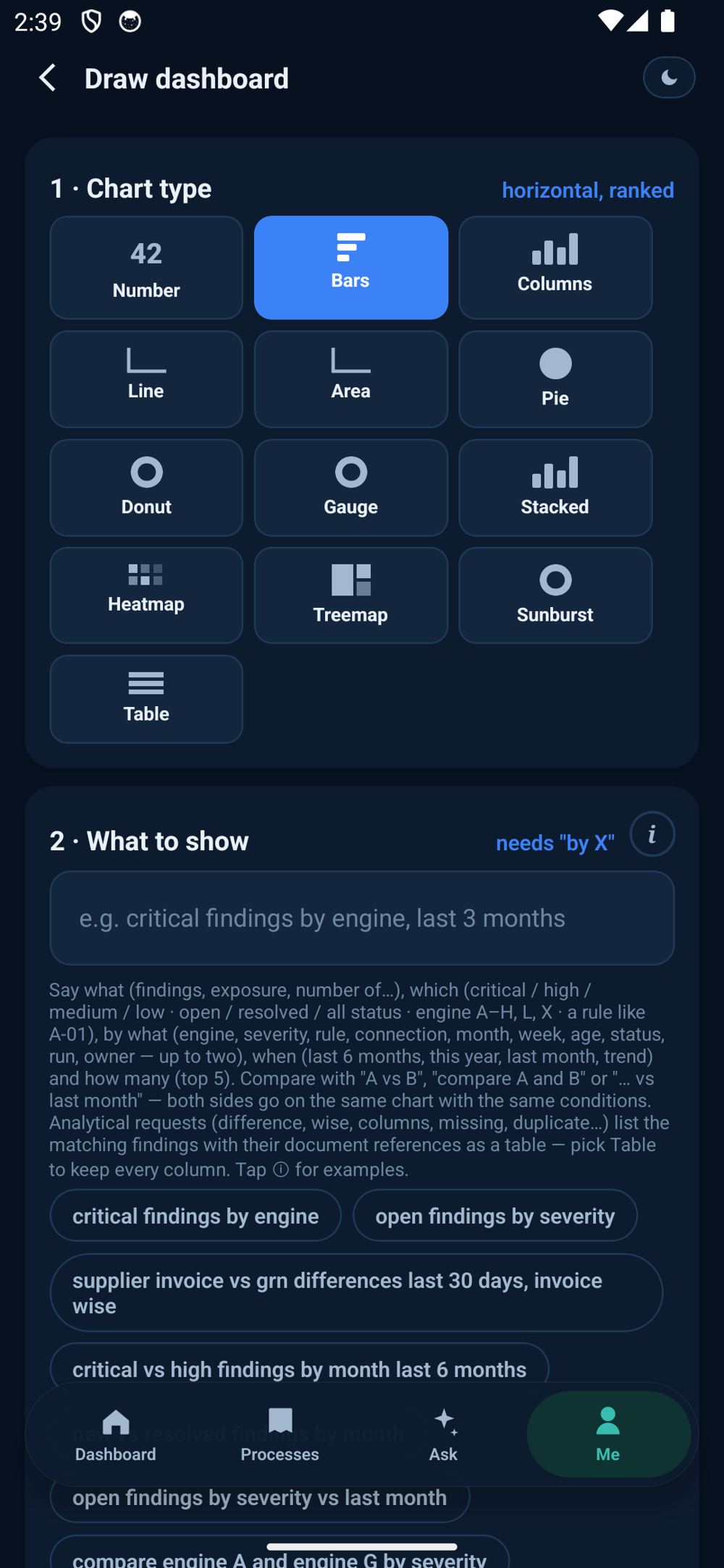
“critical vs high findings by month last 6 months”, “top 10 suppliers by purchase value”. Two things compared with vs land on one chart, with the same conditions on both sides.
Number, bars, columns, line, area, pie, donut, gauge, stacked, heatmap, treemap, sunburst and a plain table. Pick the one that makes the point.
Position 1 is the top. The figure appears above the standard cards on the web and on the phone, and it is yours. Other people's dashboards are untouched.
iPhone, iPad and Android. Night mode by default, Arabic and English, and updates that arrive by themselves. No reinstall.
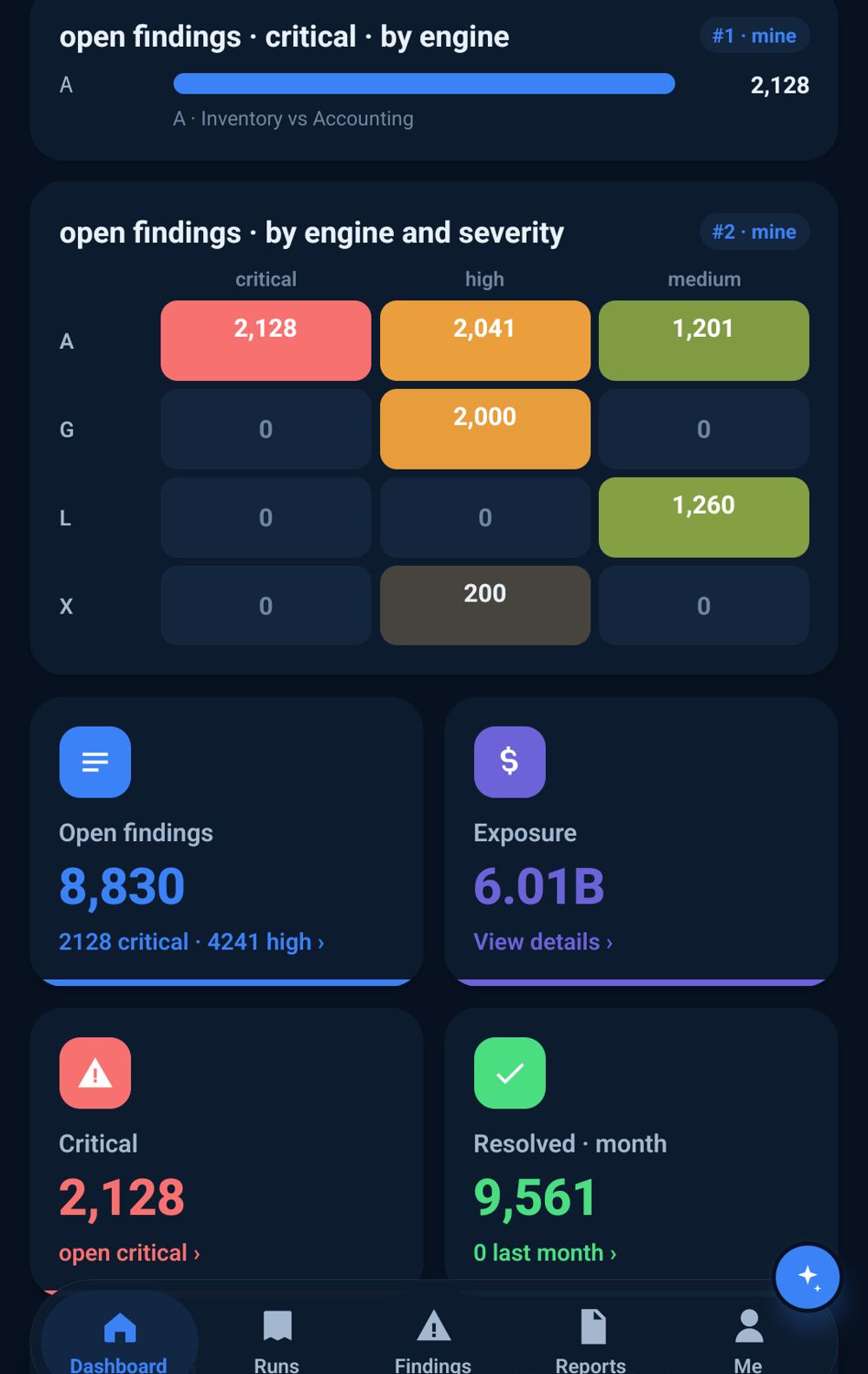
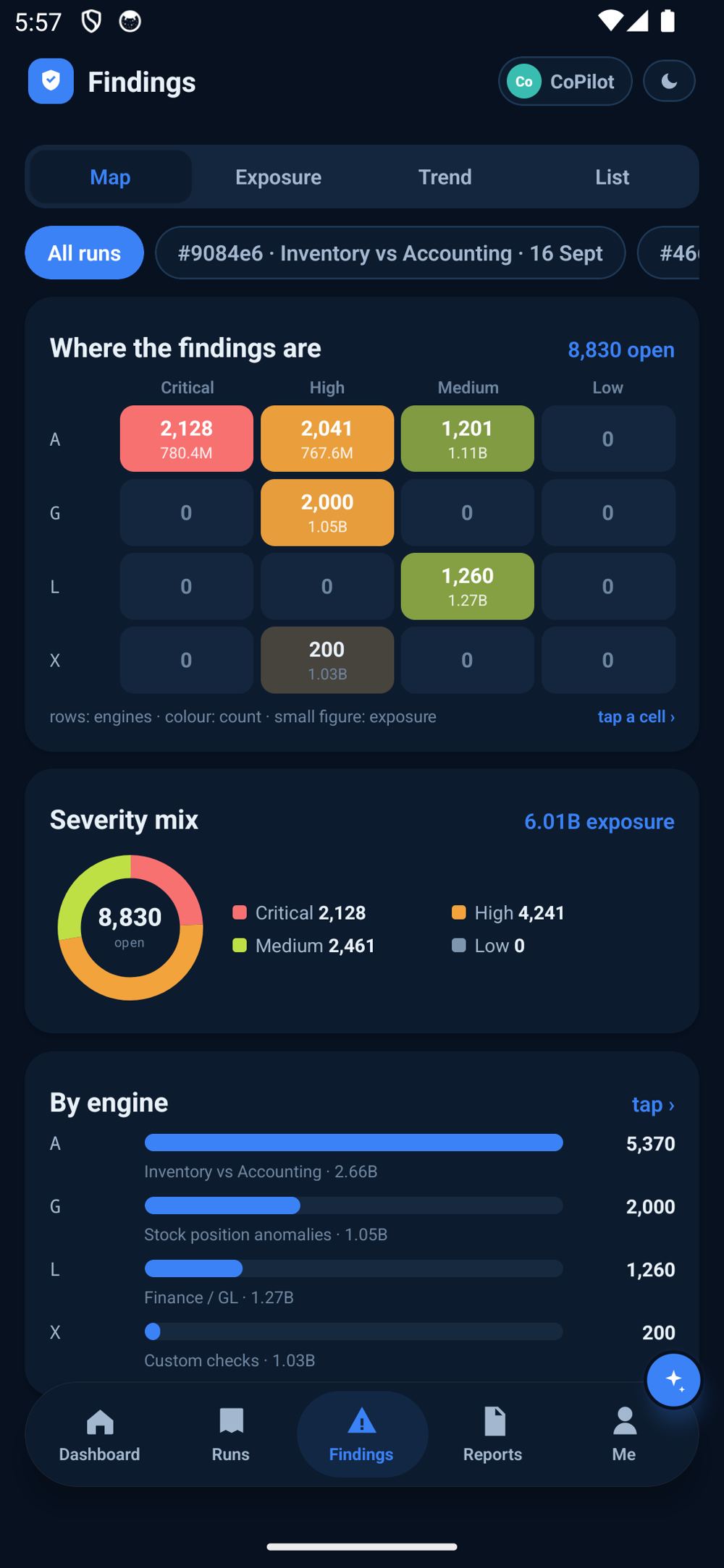
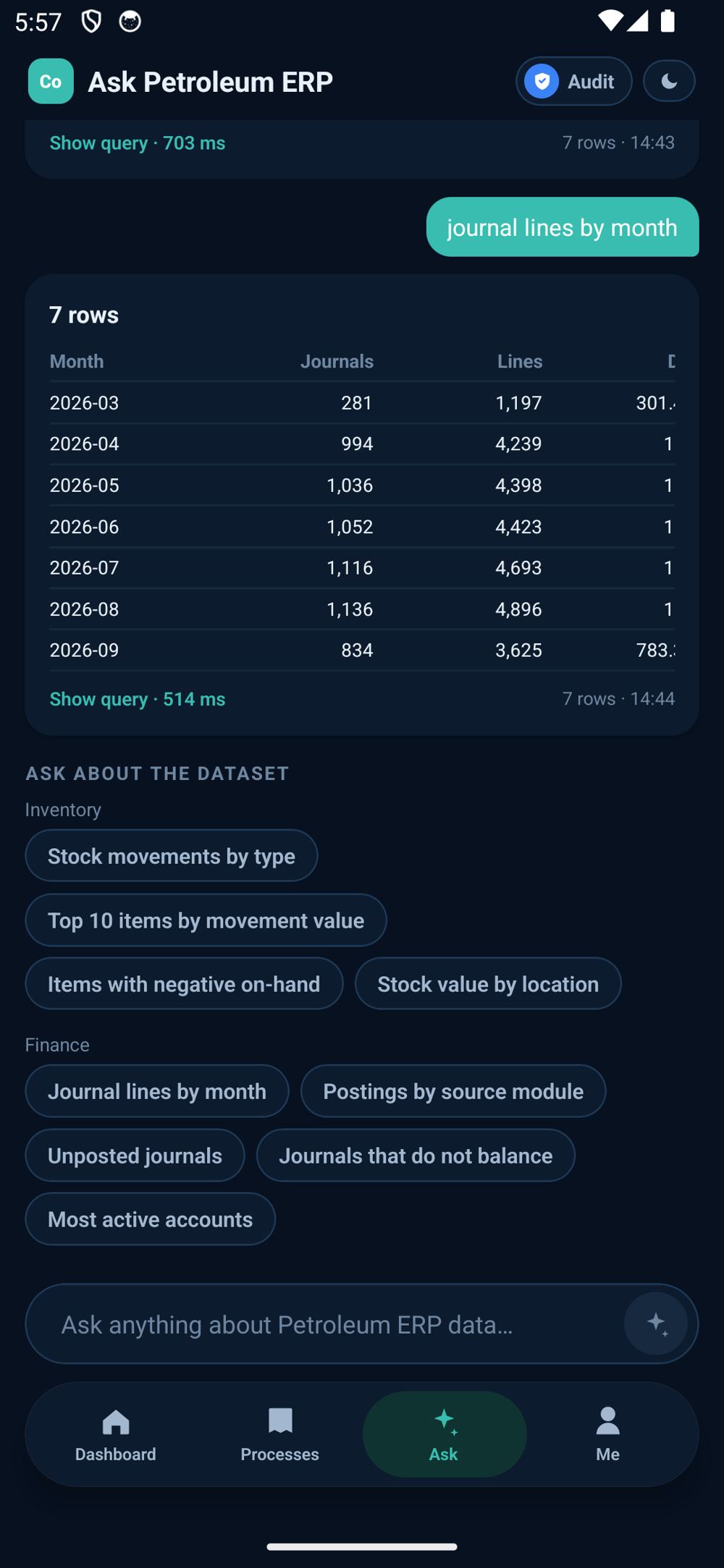

The same connection also powers CoPilot: ask your data in plain language and draw your own dashboards, on the web and on the phone.
The question typed, the report back, the table turned into a chart, the axes chosen, a figure drawn and placed on the dashboard. Every number on screen is real data from a live workspace.
Connect once, pick the data you are willing to share, and let Vigilon watch it from tonight. Free 30-day trial, no card.
Questions, a demo on your own data, or a TestFlight invitation for iPhone: talk to us.


